





In modern DevOps and IT infrastructure management, deployment strategies can make or break the user experience. Whether you’re running a SaaS product, fintech platform, or large-scale enterprise system, the goal is the same — seamless updates, minimal downtime, and reduced deployment risks.
Two popular approaches that help achieve this are Blue-Green Deployment and Canary Releases. While both aim for safe, efficient rollouts, they differ in execution, cost, and risk management.
This guide compares Blue-Green Deployment vs. Canary Releases, explores their benefits, challenges, and use cases, and includes a real-world fintech case study to help you choose the right approach for your organisation.
What is Blue-Green Deployment?Definition:
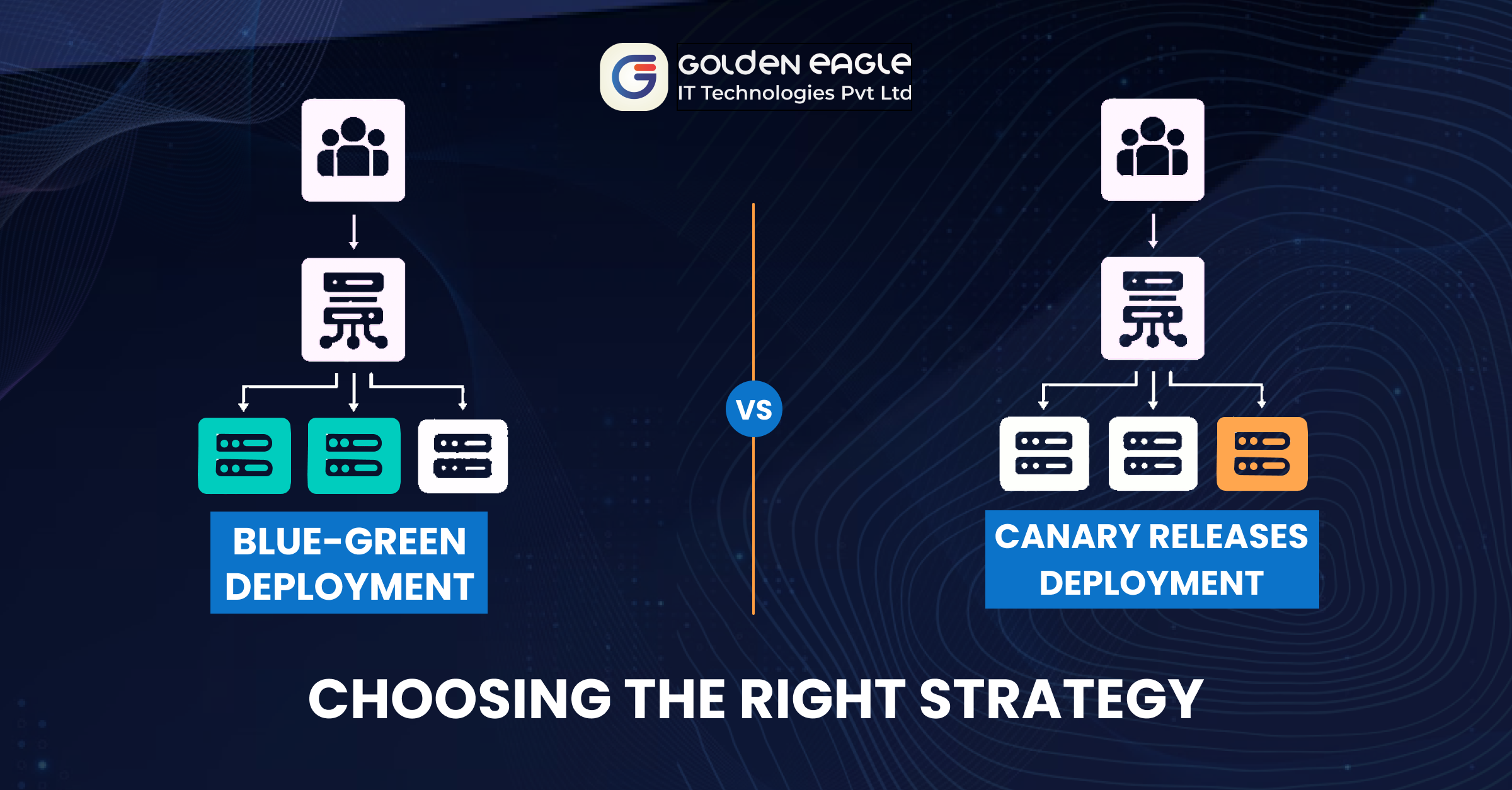
Blue-Green Deployment is a release management strategy that maintains two identical production environments:
- Blue (Active): The current live environment serving all user traffic.
- Green (Idle): The new version, fully tested and ready to go live.
When the Green environment passes testing, traffic is instantly switched from Blue to Green, making Green the active production system. The Blue environment stays intact as a rollback option in case of failures.
Benefits of Blue-Green Deployment- Near-Zero Downtime: Instant traffic switch means minimal service disruption.
- Quick Rollback: Reverting to the old version is fast and seamless.
- Complete Testing Environment: The new version is tested in a production-like setting.
- Ideal for Major Updates: Great for database migrations, infrastructure overhauls, or API changes.
Challenges of Blue-Green Deployment
- High Infrastructure Cost: Requires two fully maintained environments.
- Database Synchronisation Issues: Keeping schemas aligned is complex.
- Not Ideal for Frequent Updates: Increases resource usage and operational overhead.
Definition:
A Canary Release is a phased rollout strategy where the new version is gradually deployed to a subset of users before a full release.
Traffic is shifted in stages from the old version to the new one, allowing real-time monitoring and validation before a wider rollout.
Benefits of Canary Releases
- Lower Risk: Problems are detected early, reducing large-scale impact.
- Lower Cost: No need for a full duplicate environment.
- Real-World Feedback: User experience and performance are tested live.
- Supports Continuous Delivery: Perfect for frequent, incremental updates.
Challenges of Canary Releases
- Rollout Complexity: Requires automation and monitoring tools.
- Rollback Can Be Tricky: May require selective re-routing of users.
- User Inconsistencies: Some users may have a different experience during rollout.
| Feature** |Blue-Green Deployment | Canary Release |
| ----------------------- | ------------------------------------ | --------------------------------- |
| Rollback Speed | Immediate via traffic switch | Gradual, depends on rollout stage |
| User Impact | Low, instant transition | Low, but possible inconsistencies |
|Infrastructure Cost | High (duplicate setup required) | Low, minimal additional resources |
| Best Use Case | Major version updates, DB migrations | Continuous delivery, A/B testing |
| Risk Level | Moderate (requires pre-testing) | Low (issues caught early) |
Case Study: Choosing a Deployment Strategy for a Fintech Platform
Background
A fintech company running a high-volume trading platform wanted to roll out a real-time fraud detection system. With millions of dollars transacted every minute, reliability was critical.
Challenges
Any failure could cause financial losses & reputational damage.
- Minimal downtime was essential.
- A rollback plan had to be ready.
Option 1: Blue-Green Deployment (Rejected)
- Green environment prepared & tested.
- Full traffic switch planned.
Why was it rejected? - Maintaining two identical real-time transaction systems was expensive.
- Database sync complexity was risky.
- No real-world testing before full rollout.
Option 2: Canary Release (Chosen)
- New fraud detection has been deployed to 5% of transactions.
- Gradually, it increased to 25%, 50%, and then 100%.
- Pauses are possible if anomalies are detected.
Implementation:
- Monitoring via Datadog & Prometheus.
- Feature flags for controlled rollout.
- Real-time feedback from users guided improvements.
Results:
- Early detection of false alerts prevented customer dissatisfaction.
- Avoided costly duplicate infrastructure.
- Fraud detection accuracy improved by 30% before full rollout.
When to Choose Each Strategy
Choose Blue-Green Deployment When:
- You need instant rollback capability.
- The update is large-scale.
- Near-zero downtime is critical.
Choose Canary Release When:
- You want an incremental rollout to reduce risk.
- You deploy frequent, small updates.
- You need real-world performance feedback.
Frequently Asked Questions (FAQs)
Q1: Is Blue-Green Deployment better than Canary Release?
Neither is universally better — Blue-Green suits big, high-stakes updates; Canary is best for gradual, low-risk rollouts.
Q2: Can you combine Blue-Green and Canary strategies?
Yes — some teams use Blue-Green for infrastructure updates and Canary for application-level changes.
Q3: Which strategy is cheaper?
Canary Releases generally cost less because they don’t require a duplicate environment.
Conclusion
Both Blue-Green Deployment and Canary Releases are powerful, safe deployment methods. The right choice depends on your business needs, risk tolerance, and infrastructure budget.
For mission-critical, large-scale deployments, Blue-Green is the go-to. For frequent, incremental updates with real-world testing, Canary Releases are more effective.
💬 Which deployment strategy does your team use? Share your thoughts in the comments!